Laser Marking: Process, Benefits & Applications
14 min
- What Is Laser Marking?
- How Does the Laser Marking Process Work?
- What Is the Difference Between Laser Marking, Laser Engraving, and Laser Etching?
- Which Materials and Surface Finishes Can Be Laser Marked?
- What Are the Benefits and Limitations of Laser Marking?
- What Are the Common Applications of Laser Marking?
- How Should CNC Parts Be Designed for Laser Marking?
- Laser Marking FAQs
Key Takeaways
- Laser marking creates identification directly on a manufactured part by changing its surface condition with a focused laser beam. JLCCNC can produce a recessed marking depth of 0.03–0.1 mm for laser marking. The final appearance depends on the material and surface finish.
- A logo file shows what to mark, not where it belongs on the part. Dimension its position on the 2D drawing and supply DWG or DXF artwork at 1:1 scale.
- Bare aluminum and anodized aluminum can produce different results. A logo that looks black on screen will not necessarily appear black on the finished part.
- For detailed artwork, JLCCNC recommends providing design files with at least 300 dpi resolution. The design guide also recommends maintaining a 3 mm margin around the marking area to reduce the risk of incomplete patterns.
- A Data Matrix code needs to work with the production scanner, not just look readable to the naked eye.
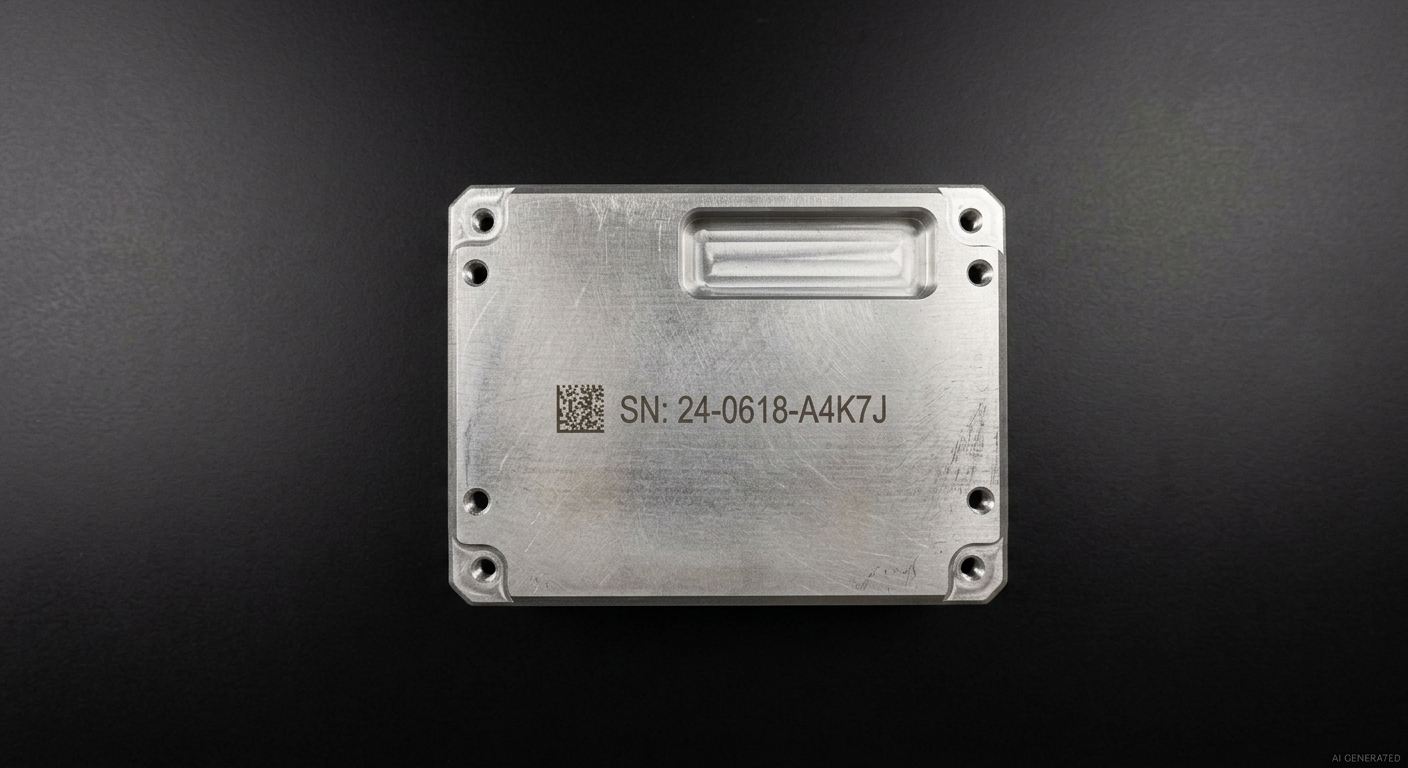
Aluminum enclosure with a laser-marked serial number
Laser marking creates identification directly on a part rather than adding a separate ink layer or adhesive label. Depending on the material and marking method, it can be used for serial numbers, revision codes, logos, and machine-readable identifiers on metal housings, brackets, panels, and other manufactured components.
JLCCNC provides laser marking as an available finishing option for eligible CNC-machined and sheet metal parts, allowing machining and marking requirements to be reviewed within the same project workflow.
What Is Laser Marking?
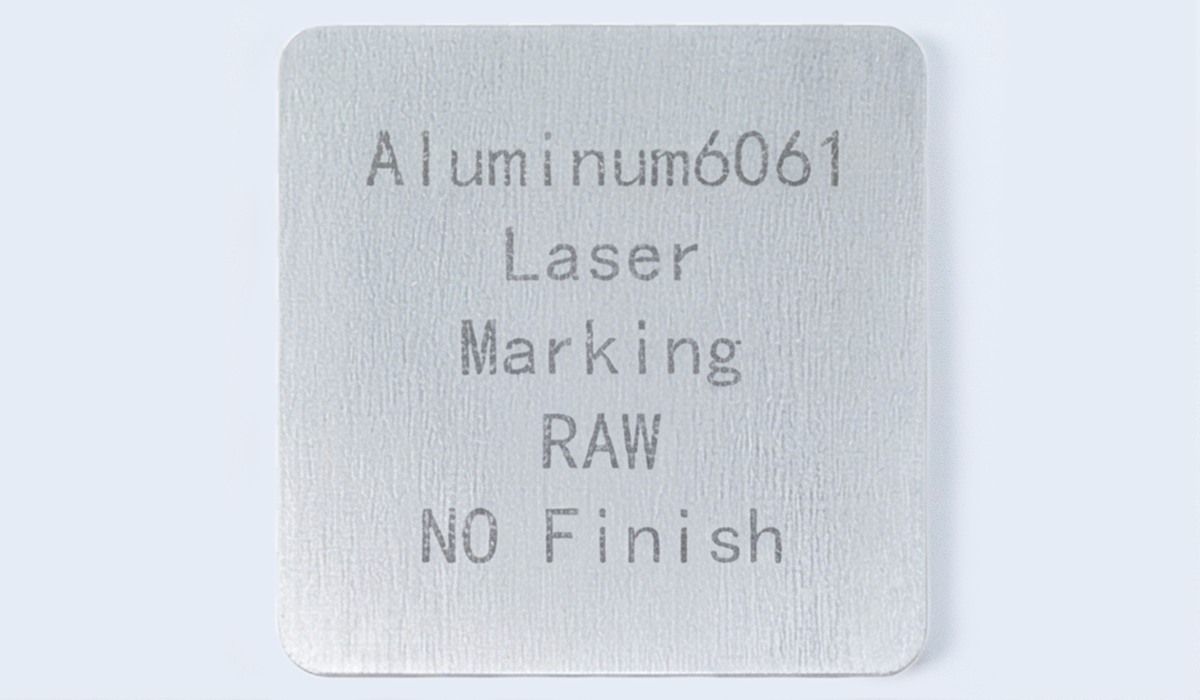
Aluminum6061 laser marking
Laser marking is a non-contact process that uses a focused laser beam to create visible or machine-readable identification directly on a manufactured part. The beam changes the surface condition rather than adding an external label or ink layer. Depending on the substrate and process settings, the mark may result from a surface-color change, oxidation, a change in texture, or localized coating or material removal. Common applications include serial numbers, part and revision codes, Data Matrix codes, and logos used for identification and traceability.
The word "mark" covers several different surface changes. Which one you get depends on the material, the laser and the settings.
| Surface change | What happens at the surface | Where it typically shows up |
|---|---|---|
| Oxidation (annealing) | Heat forms a thin oxide layer that darkens or colors the surface | Stainless steel, titanium |
| Coating removal (ablation) | The beam vaporizes a thin coating to expose the base metal | Anodized aluminum, coated or painted metal |
| Micro-recess or melted texture | The surface melts or vaporizes slightly, changing roughness and reflectivity | Bare metals |
| Carbonization | Heat chars or chemically darkens the surface | Plastics, organic materials |
These surface-change mechanisms explain how laser marking can work across different substrates. They do not represent the complete list of materials or marking methods available for every JLCCNC order. Confirm material compatibility and the required appearance for the specific part.

Precision CNC Machining Service
Professional manufacturing, fast turnaround, and quality assurance.
How Does the Laser Marking Process Work?
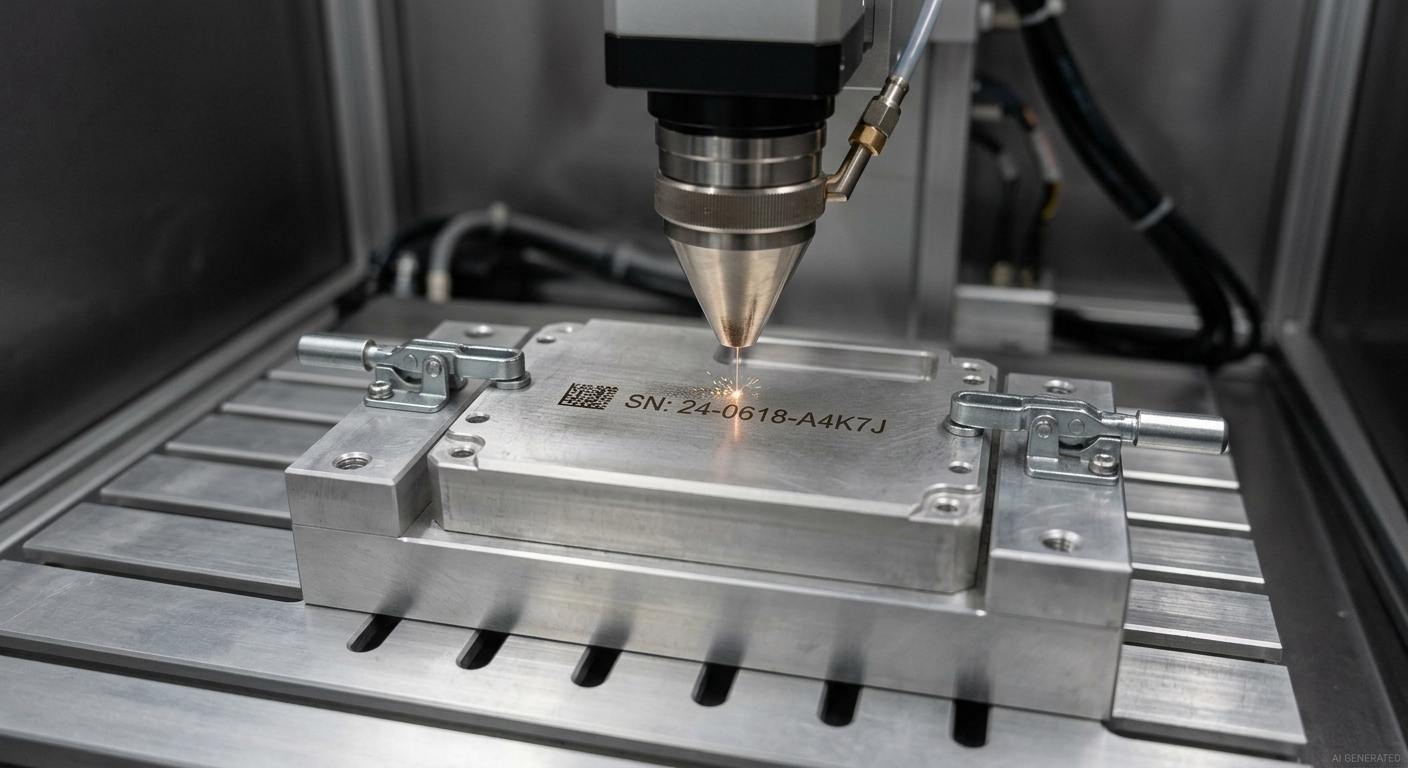
Fiber laser marking system
Preparing the Part and Marking File
The marking artwork is loaded into the laser software in a supported format, with the part's marking face and position defined on the 2D drawing. The workpiece is positioned to maintain the required marking location and focus. Process settings are selected for the material and required surface effect, and a preliminary mark can be used to check contrast and detail before production.
For new material and finish combinations, a sample mark can be used to confirm contrast and detail before production.
Shops commonly run a test mark on a spare or scrap piece first.
How the Laser Forms the Mark
The laser system and its process settings must be suitable for the material and the required marking effect. In systems that use galvanometer scanning, mirrors steer the focused beam along the programmed path in the marking file.
The focused beam concentrates energy in a localized area of the workpiece. Depending on the material and process settings, the interaction can change the surface color, modify the texture, remove a compatible coating, or remove substrate material to form a recess. The resulting mark depends on the interaction between the material, surface condition, and process settings.
Verifying the Finished Mark
Inspect the finished mark for edge definition, consistency of contrast, and conformity to the specified location. Check the marked area against the drawing requirements, including depth where specified. For machine-readable codes, verify readability using the intended scanner and inspection conditions.
Verify machine-readable marks with the scanner and inspection setup used for the application. The laser etching guide linked above also recommends testing the code with the actual scanner you'll use in production.
What Is the Difference Between Laser Marking, Laser Engraving, and Laser Etching?
| Term | Typical surface change | Material removal | Result |
|---|---|---|---|
| Laser marking | Broad term for creating marks through laser-induced surface changes | Depends on the method | Visible identifiers, patterns, or codes |
| Laser etching | Usually creates contrast through a shallow surface modification | Generally limited, depending on the process | A visible mark with altered surface appearance |
| Laser engraving | Removes substrate material to create a recess | Deliberate material removal | A recessed mark that may be tactile |
These terms are not used consistently by every supplier, so the process name alone does not define the resulting feature. Specify the required appearance, recess depth where applicable, readability, and expected wear conditions.
Suppliers do not always use these terms in the same way. In one quotation, "laser marking" may refer to a broad class of surface-modification processes; in another, it may describe a specific process. For reliable manufacturing results, define the required surface effect and measurable acceptance criteria instead of relying on terminology alone.
Define the required appearance, recess depth where applicable, readability, and expected wear conditions. Specify whether the mark needs to contrast with the surrounding surface, whether a machine-readable code must pass a particular verification process, and whether later cleaning or surface treatments could affect the result.
JLCCNC's design guide for laser marking specifies a recessed laser-marking depth of 0.03–0.1 mm. This is a JLCCNC-specific design specification, not a universal boundary between laser marking, etching, and engraving. Define the required appearance and depth on the drawing where applicable.
Which Materials and Surface Finishes Can Be Laser Marked?
How Material and Surface Finish Affect Marking Results
The same artwork can produce different results depending on the material, surface finish and marking conditions. Reflectivity, roughness and existing coatings all affect contrast and final appearance.
Material response and surface condition affect the resulting mark. Reflectivity, roughness, coatings, and the required surface effect all influence the process settings and the final contrast. Settings that work on one material or finish should not automatically be assumed to work on another.
JLCCNC states that metal marking color is determined primarily by the characteristics of the material being marked, and its design guidance adds that results vary with surface roughness. A bead-blasted face and a smooth machined face won't look alike, even with identical settings.
Surface treatments also affect the finished mark. Anodized aluminum and bare aluminum should not be assumed to produce the same contrast, even when the artwork is identical. Specify the actual surface finish and confirm the required appearance for that material before production.
Materials Supported by JLCCNC
JLCCNC offers laser marking for eligible CNC-machined and sheet metal parts. Material and finish availability depends on the selected manufacturing process and ordering requirements. Confirm the supported material, surface finish and marking requirements before production.
Materials outside the confirmed laser-marking scope may require another identification method. UV printing is an alternative for compatible substrates when color is required, but material suitability should be confirmed before selecting the process. See JLCCNC's guide to laser marking vs. UV printing for a comparison of the two methods.
Aluminum has its own behavior, especially anodized versus bare. Details live in our laser engraving aluminum article.
Need laser marking for a custom part? Upload your CAD file for a project-specific quote. Define the marking surface and position on the 2D drawing, and provide the artwork in the required format. For sheet metal parts, follow the applicable file and ordering requirements.
Precision CNC Machining Service
Professional manufacturing, fast turnaround, and quality assurance.
What Are the Benefits and Limitations of Laser Marking?
Benefits of Laser Marking Technology
Durability is a major advantage of laser marking. Because the mark is created by changing the surface rather than applying a separate adhesive label, it avoids label-edge peeling and ink-layer smearing. Long-term readability still depends on the marking method, material, surface finish, and service conditions.
Laser marking does not require ink or adhesive label stock as part of the marking process, and the beam applies no stamping force to the workpiece. This avoids tool-to-part contact wear during marking, although the laser equipment and its optics still require appropriate maintenance.
Laser marking can reproduce fine graphics and identification features without applying stamping force to the workpiece. Dot-peen marking creates physical indentations, while laser marking alters the surface through a laser-based process. The better option depends on the required appearance, readability, material, and operating environment. Machine-readable codes should be verified using the intended scanning setup.
Laser marking is digitally controlled, so artwork can be revised without producing a new physical stamp or stencil. This can simplify mixed-batch production and product revisions, although actual cycle time depends on the graphic, the required surface effect, and the handling and verification steps involved.
Limitations and Factors That Affect Marking Results
These are the factors that decide whether a laser mark is the right call.
| Factor | Why it matters | What to specify |
|---|---|---|
| Material and alloy | Absorption and reflectivity change contrast | Exact material and grade |
| Surface finish and roughness | Rough or uneven faces give inconsistent contrast | Finish before marking |
| Recess depth | A shallow recess can wear through under heavy abrasion | Wear and abrasion exposure |
| Single-tone result | Color follows the material, not the artwork | Contrast expectations, not color names |
| Geometry and access | Curved or recessed faces change focus | Which face, how flat |
| Later finishing | Blasting, plating or coating after marking can hurt legibility | Mark after final finish where possible |
Any subsequent coating, blasting, heat treatment, or other finishing operation may alter the appearance or readability of a laser mark. Specify the complete process sequence and the required final appearance before production. If the part requires a pronounced tactile feature or must retain identification under severe abrasion, the appropriate marking method should be evaluated against those requirements rather than selected by name alone.
What Are the Common Applications of Laser Marking?
Part Identification and Traceability
Laser marking supports part identification by placing a serial number, lot code, revision, or Data Matrix code directly on the component. When the identifier remains readable, production and inspection teams can link the physical part to its drawing revision, manufacturing records, and inspection results.
Marking requirements vary by industry and application. Under U.S. FDA rules, a device that must bear a UDI on its label and is intended for repeated use and reprocessing generally must also carry a permanent direct marking, subject to applicable exceptions and alternatives. Automotive and aerospace manufacturers may also use serial numbers, part numbers, revision identifiers, or other traceability information according to their product and customer requirements. The marking method must be validated against the relevant requirements; laser marking alone does not establish regulatory compliance.
On CNC-machined parts, the same practice applies at a smaller scale. A housing or bracket marked with its part number and revision allows incoming inspection to verify the part against the correct drawing revision.
Logos, Labels, and Functional Markings
Laser marking places a logo or product identifier directly on an enclosure or panel without requiring a separate adhesive label. Edge definition and contrast depend on the artwork, material, surface finish, and marking settings.
The less obvious use is functional. Port and connector labels, orientation arrows, polarity marks, scale lines, calibration references, warning text on equipment panels. These aren't decoration. Incorrect or missing labels can create usability and safety issues on control panels. Laser-marked port labels, orientation arrows, polarity symbols, and warning text eliminate the need for a separate label, but readability should be checked against the expected cleaning and wear conditions.
How Should CNC Parts Be Designed for Laser Marking?
Define the marking face and positioning dimensions on the 2D drawing so the mark can be located without scaling an image. Supply the marking artwork in DWG or DXF at 1:1 scale, and clearly dimension the relevant geometry. JLCCNC recommends CAD-exported file formats and warns that machining precision cannot be guaranteed when other formats are used. For special shapes, provide the exact marking location and a dimension frame with clear instructions.
Marking Location and Positioning Dimensions
Identify the marking face and dimension its location from defined datum edges. Avoid relying on a scaled image to communicate position. JLCCNC's design guidance recommends a marking margin of usually 3 mm to help prevent incomplete patterns. For special geometries, show the exact marking location and the required dimensions on the drawing.
Artwork, Character Size, and Code Readability
Keep the artwork geometry clean, with lines thick enough to preserve the intended detail after marking. JLCCNC's design guide recommends a design-file resolution of at least 300 dpi for clear, detailed results. For DWG or DXF artwork, supply clean geometry at 1:1 scale; for bitmap elements, ensure the source image has sufficient resolution. The guide does not specify a universal minimum character height, line width, or Data Matrix size for laser marking. For machine-readable codes, define the required reading result and verify the mark using the intended scanner under the relevant inspection conditions.
Mark Depth, Contrast, and Surface-Finish Requirements
JLCCNC's design guide specifies a recessed laser-marking depth of 0.03–0.1 mm. Define the required marking appearance and depth where applicable, and identify any expected abrasion or cleaning exposure. If the marked area lies near a critical feature, include its location on the drawing so the effect on the part's functional requirements can be reviewed.
Laser marking produces a single-tone result determined by the material and surface treatment rather than a freely selected artwork color. Define the required contrast against the actual finished surface, and confirm the expected appearance for the specified material and finish.
Keep the mark off threads, sealing faces and tight-tolerance features. The recess is shallow, but it's still a local surface change. And if the part gets anodized or coated, mark after the final finish unless the process requires otherwise.
Laser Marking FAQs
Q: Is Laser Marking Permanent?
Yes, for normal service. The beam changes the surface itself, so the mark won't peel, smear or fade like ink or a label. "Permanent" has limits though. A shallow recess can wear through under heavy, repeated abrasion, and marks on anodized parts depend on the coating staying put. If the part will be sanded, blasted or re-finished later, say so before marking.
Q: Does Laser Marking Affect Part Dimensions or Surface Finish?
Laser marking can alter the local surface. Some methods mainly change color or texture, while JLCCNC’s published laser-marking guidance specifies a recessed depth of 0.03–0.1 mm for our service. Keep marks away from critical sealing, threaded, mating, and tight-tolerance features, and show their location on the drawing.
Q: What Recessed Depth Does JLCCNC's Laser Marking Service Produce?
JLCCNC's laser marking produces a recessed depth of 0.03 to 0.1 mm. That sits between typical laser etching and typical laser engraving figures, which is why it helps to specify appearance and wear needs instead of relying on the process name.
Q: Can Laser Marking Be Applied After CNC Machining?
Yes, and that's the normal sequence. Machine the part, finish it, then mark it. At JLCCNC you select laser marking under Surface Finish when you order CNC parts, so machining and marking happen in one workflow. Marking after the final finish keeps the mark from being altered by later steps.
Q: What Affects the Cost of Laser Marking CNC Parts?
Several things, though the quote tool gives the real number. Material and finish set the settings needed. Mark size and complexity drive machine time. Quantity spreads setup across more parts. And drawing quality matters more than people think: missing positioning dimensions or non-CAD artwork cause delays, and delays cost money. Add laser marking in the instant quote to see pricing for your exact part.
Keep Learning
Laser Engraving Aluminum: Marking Methods & Surface Effects
Key Takeaways Laser engraving usually removes base material to create a recess. Laser marking is a broader term that can describe a surface-color change or material removal, so the process name alone does not define the final result. On aluminum, alloy and surface finish affect marking contrast. A light mark on dark anodized aluminum is a common design target, but the actual appearance depends on the finish and laser process. JLCCNC laser marking produces a recessed area 0.03–0.1 mm deep. The result i......
CNC Cutting Fluid: Types, Functions, Applications, and Selection Guide
Key Takeaways Cutting fluid in machining performs four functions simultaneously: cooling the tool and workpiece, lubricating the tool-chip interface to reduce friction, carrying chips away from the cut zone, and protecting machined surfaces from corrosion between operations. Different machining operations need different fluid priorities: high-speed aluminum milling may need adhesion control and chip evacuation, threading and tapping need strong lubrication, and grinding requires both cooling and fine ......
Blind Hole Machining Guide: What Is a Blind Hole, Types of Holes, and Tapping Tips
What Is a Blind Hole? Types of Holes and CNC Hole Machining Explained In CNC machining, few operations challenge process control and tool stability as much as blind hole machining. A blind hole is a hole that terminates at a defined internal depth rather than breaking through the opposite surface. Because the cavity is enclosed at the bottom, chip evacuation, thermal behavior, tool wear, and dimensional accuracy become far more difficult to manage compared to through-hole machining. These constraints ......
Rake Angle in Machining: Machinists’ Guide to Perfect Cuts
What is Rake Angle? (minaprem) If you've ever stood in front of a CNC machine or a manual lathe, you know that the cutting tool's geometry isn't just some arbitrary design. Every angle, edge, and surface has a job to do, and one of the most important of those is the rake angle. We've been running machines long enough to know that rake angle can make or break your surface finish, tool life, and machining efficiency. In this guide, we're going to walk you through what rake angle is, how it works, and ho......
Sheet Metal vs CNC Machining: A Guide to Choosing the Right Method for Your Metal Parts
Quick Answer: Choose sheet metal for uniform-thickness enclosures, panels, and formed brackets when bends and production volume support lower unit cost. Choose CNC machining for variable wall thickness, precision bores, tight feature relationships, and complex 3D geometry. Use a hybrid design when a formed structure needs precision-machined interfaces. A quote comes back for a bracket, and it's priced as a CNC part — machined from solid aluminum, a few hours of spindle time, a per-part cost that makes......
What Steps Are Taken To Minimize Waste In CNC Machining Processes?
How to Reduce Waste in CNC Machining: 5 Practical Strategies Quick Answer: CNC machining waste is reduced mainly through DFM, near-net stock, efficient toolpaths, preventive tool maintenance, and alloy-segregated recycling. The biggest gains usually come before cutting: reduce unnecessary material removal and prevent scrap or rework. Every CNC-machined part starts as more material than it ends up being. A pocket gets milled out, a profile gets cut away, a boss gets faced down to size — and all of that......