CNC Backlash Explained: Causes, Measurement & Repair Guide
16 min
- What Is Backlash in a CNC Machine?
- Backlash vs Other Common CNC Motion Errors
- What Causes Backlash in CNC Machines?
- How to Check Backlash on a CNC Machine: Step-by-Step Procedure
- CNC Backlash Diagnostic Checklist
- How to Fix CNC Backlash: Mechanical Adjustment, Compensation & Replacement
- Preventing Backlash Through Maintenance and Design Choices
- When Backlash Means Repair, Retrofit, or Replacement
- CNC Backlash Key Takeaways
- FAQ
Backlash is the free movement in a CNC axis that occurs when motion reverses direction. It appears as a short delay between motor rotation and actual table or tool movement. This delay results in positioning errors and dimensional inaccuracy.
Generally, in CNC machining, backlash develops in ball screws, lead screws, gears, thrust bearings, and couplings due to normal wear. It can also result from loose mounting, incorrect adjustment, poor lubrication, crashes, and long-term heavy cutting. Even slight clearance becomes critical in tight-tolerance machining.
Machinists usually detect backlash when dimensions change with cutting direction, circular features become oval, finishing passes show steps, and mismatch lines. If ignored, these issues lead to scrap, rework, and unstable process control.
This guide explains:
● How backlash forms in CNC machines
● How to measure it using practical shop methods
● How to reduce it through adjustment, compensation, or component replacement
What Is Backlash in a CNC Machine?
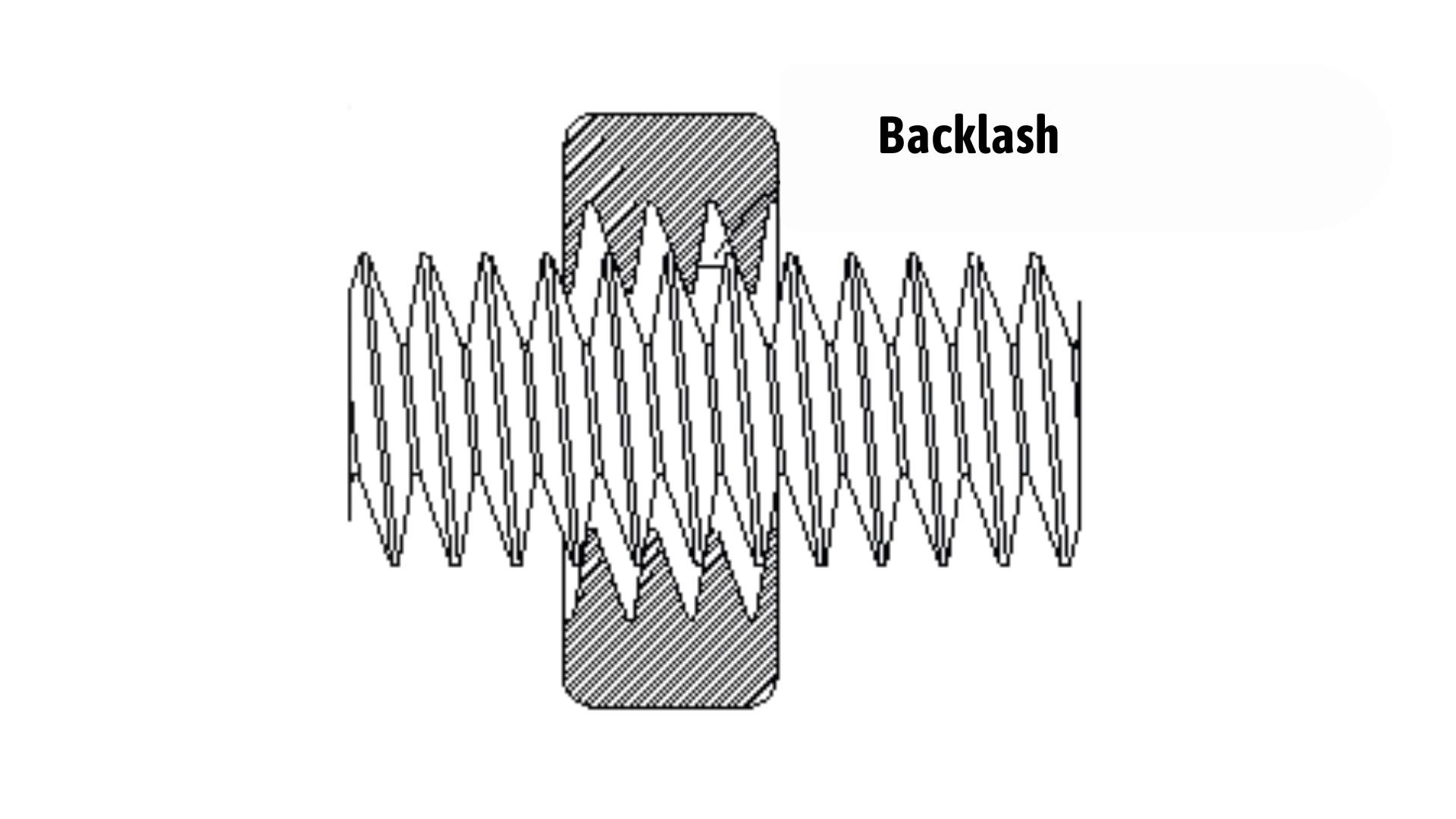
An illustration of backlash in a CNC ballscrew system. Source: machinetoolhelp
Backlash is mechanical clearance in a CNC machine’s drive system. It usually occurs in ball screws, lead screws, gears, and drive couplings. It causes a small delay when an axis changes direction. During this delay, the table and tool do not move immediately.
Why Backlash Matters in Machining Accuracy, Surface Finish & Repeatability
● It causes position errors when cutting profiles, pockets, and interpolated features.
● It makes it difficult to hold tight tolerances on bores, slots, and step features.
● Leads to size variation when parts are machined from opposite directions.
● Affects circular interpolation, often when producing oval and tapered holes.
● It reduces process stability during finishing passes.
● Forces operators to rely more on software compensation.
Common Symptoms Seen on the Shop Floor
● Hole diameters change depending on the climb or conventional direction.
● Visible witness marks where toolpaths reverse.
● Slots measuring wider on one side than the other.
● Parts fit well in one batch and fail in the next.
● Rework needed after finishing passes.
● Increased time spent adjusting wear offsets and parameters.
Backlash vs Other Common CNC Motion Errors
Backlash is a mechanical clearance issue in the axis drive system and must be separated from electrical, geometric, and control-related errors during machine diagnostics.
Backlash ≠ Spindle or Tool Runout
● Runout is measured at the spindle nose or tool holder using a dial test indicator.
● It typically occurs due to worn bearings, poor tool seating, and damaged tapers.
● It affects feature concentricity and circularity, even in single-direction cuts.
● Backlash only appears during axis direction reversal. So, it is independent of spindle rotation.
Backlash ≠ Stepper Motor Missed Steps
● Missed steps occur when motor torque is lower than the cutting and acceleration loads.
● Common triggers include high speeds, improper current settings, and tight guideways.
● Position loss is cumulative and requires homing to recover.
● Backlash produces repeatable positional deviation at axis direction changes.
Backlash ≠ Servo Following Error
● The servo following error is monitored through encoder feedback in closed-loop systems.
● It increases under high feed rates, heavy loads, or unstable servo tuning.
● Control alarms may be triggered when limits are exceeded.
● In semi-closed loop systems, backlash can exist even when the servo following error appears normal.
Backlash ≠ Machine Squareness Error
● Squareness error is evaluated using granite squares, laser systems, or ballbar tests.
● It originates from misaligned guideways, column tilt, or improper installation.
● It causes systematic dimensional drift over long travel distances.
● Backlash creates localized errors concentrated at direction changes.
What Causes Backlash in CNC Machines?
In most CNC machines, backlash develops slowly. It happens as parts in the axis drive system wear, loosen, or lose preload during daily operation. At first, the movement feels normal. Over time, small gaps form in the system, and the axis starts to hesitate when it changes direction.
Mechanical Wear and Clearance Accumulation
Lead Screw and Ball Screw Wear
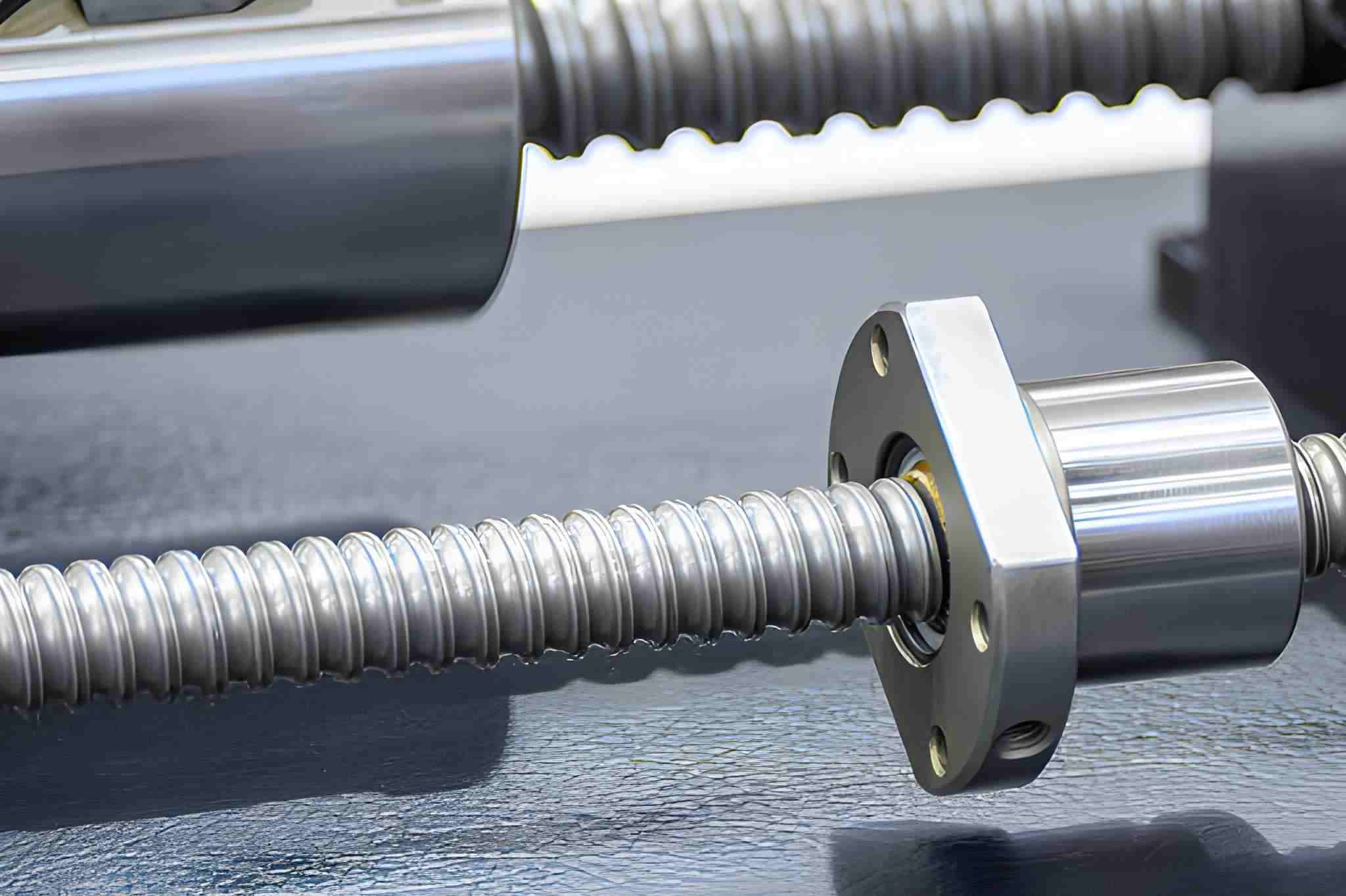
Close-up view of a CNC ball screw and nut assembly. It shows the drive components where mechanical clearance and wear can lead to axis backlash. Source: iStock
Every time the machine runs, the screw carries the cutting load. After thousands of cycles, the threads and ball tracks begin to wear. This creates extra space between the screw and nut. On machines that repeat the same stroke, backlash is usually higher in those travel areas.
Nut-to-Screw Clearance Increase
Ball nuts and anti-backlash nuts are preloaded to remove play. With use, this preload slowly weakens. Balls flatten slightly, raceways wear, and internal spacers compress. When this happens, the nut can move a small distance before it starts driving the table.
Bearings, Couplings, and Mounting Looseness
Support bearings and couplings rarely fail all at once. They loosen gradually. A little bearing endplay or coupling slip may seem minor, but it adds up across the axis. If mounting surfaces are uneven or bolts are not tightened evenly, parts can also shift under cutting forces.
Drive and Transmission-Related Factors
Belt Stretch and Pulley Slack
On belt-driven axes, belts stretch as they age. Tension drops, and pulley teeth wear. When the axis reverses, the belt has to take up this slack first. That delay shows up as backlash, especially on high-speed gantry machines.
Gear-Driven Axis Backlash
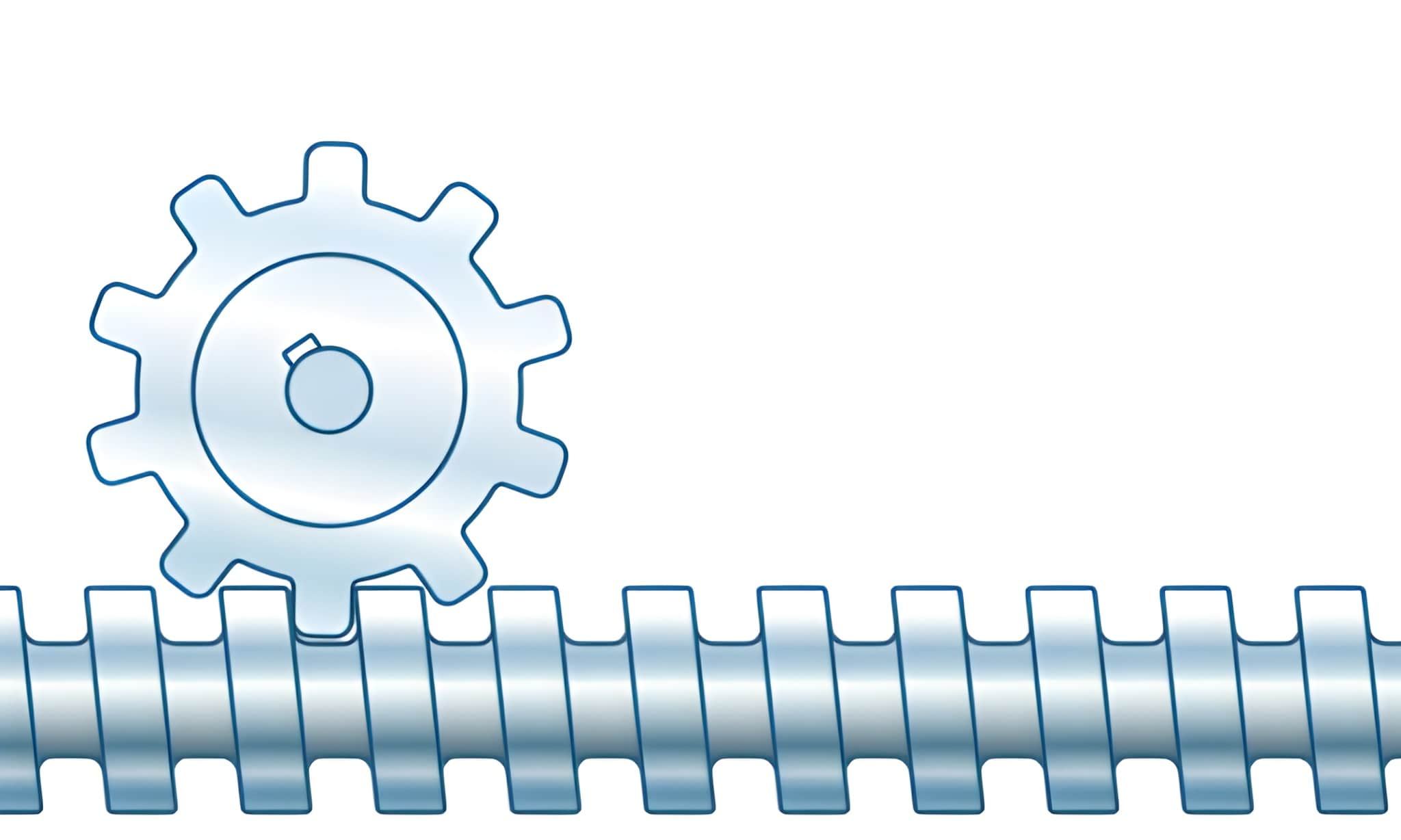
A simple illustration showing a zero-backlash screw gear transmission system. Source: iStock
Gear systems always have some clearance by design. As gears run under load, tooth surfaces wear, and the gap increases. Poor lubrication and dust or chips in the gearbox make this happen faster.
Motor-to-Axis Coupling Misalignment
When couplings are slightly misaligned, they do not transmit torque evenly. This causes fretting and wear on shafts and hubs. Over time, small rotational gaps develop, so the motor turns briefly before the axis responds.
Assembly, Adjustment, and Maintenance Issues
Improper Preload or Tension Settings
Preload and belt tension need to be set within the machine’s specifications. If they are too loose, parts can deviate, and if they are too tight, heat and wear increase.
Loose Fasteners and Worn Mounts
Vibration and temperature changes slowly loosen bolts on motors, bearing blocks, and guide rails. Worn locating surfaces and stretched bolt holes also allow parts to shift when cutting forces rise.
Lack of Lubrication and Preventive Maintenance
Inadequate lubrication causes metal surfaces to start wearing. Stained grease, dry screws, and contaminated guideways accelerate damage. Therefore, regular inspection and lubrication help avoid backlash.
How to Check Backlash on a CNC Machine: Step-by-Step Procedure
Before checking backlash, always remove cutting loads and fixtures that may introduce external forces. Testing should be done at low feed rates to isolate mechanical play from servo response and acceleration effects.
Dial Indicator Method (Step-by-Step)
1. First, power on the machine and let it run for at least 15-20 minutes. This stabilizes bearing preload, screw expansion, and lubrication flow.
2. Mount a dial indicator with a rigid magnetic base on a fixed part of the machine, such as the column or table edge. The indicator tip should contact a clean, flat surface on the moving axis. Align the tip parallel to the axis, travel to avoid cosine error.
3. Jog the axis slowly in the positive direction until the indicator begins to move. Continue moving about 0.5 - 1.0 mm, then stop. This removes any existing play.
4. Zero the dial indicator at this position.
5. Now jog the axis slowly in the opposite direction in small increments, typically 0.001 mm or 0.0001 in per step if available.
6. Watch the indicator carefully. The distance the axis moves on the controller display before the needle starts moving is the backlash.
7. Repeat this test at several positions along the axis, especially near the ends and in common working zones. This helps identify localized wear on the screw or nut.
8. Record the largest value. This represents the practical backlash for that axis.
9. For better accuracy, repeat the measurement 3 times and average the results.
Control Software and Test Program Methods
Modern CNC controls and CNC software can also be used to measure backlash through programmed motion tests. One common method is to use MDI or a simple G-code program to command repeated direction changes.
Example procedure:
● Move the axis to a reference position, such as X100.000.
● Command a small move in the positive direction, for example, X100.050.
● Then command a return move to X100.000.
● Repeat this cycle several times at a low feed rate, typically 50 - 200 mm/min.
● Use a dial indicator or linear scale to observe whether the axis returns to the same physical position each time. Any offset indicates backlash or positioning error.
Some controllers include built-in backlash tests or compensation screens. These functions move the axis automatically, reverse direction, and calculate lost motion based on encoder feedback and position deviation.
When using controller-based tests, keep these points in mind:
● Run tests at low acceleration and low feed to avoid servo lag.
● Disable cutter compensation and tool offsets.
● Make sure thermal compensation and adaptive control are turned off if possible.
● Check machine alarms and servo tuning before testing.
On machines with glass scales, the controller may mask mechanical backlash by closing the loop on position feedback. In this case, indicator testing is still necessary to evaluate mechanical wear.
Practical Notes from the Shop Floor
Backlash values below 0.01 mm (0.0004 in) are usually acceptable for light machining and finishing.
Values above 0.02 mm (0.0008 in) often affect contour accuracy and hole positioning.
If backlash varies significantly along travel, screw or nut wear is likely localized.
Sudden increases usually indicate loose couplings, bearing damage, or mounting movement.
Always measure backlash before adjusting compensation or replacing parts. Measurement data helps determine whether tuning, maintenance, or mechanical repair is required.
CNC Backlash Diagnostic Checklist
This checklist helps operators and machinists quickly confirm whether backlash is present and estimate its impact on machining accuracy.
CNC Backlash Diagnostic Checklist
| Check Item | How to Inspect | Normal Condition | Warning Sign | Action Required |
| Axis Direction Reversal | Jog the axis back and forth in small steps | Immediate response | Delay before movement | Measure backlash with an indicator |
| Dial Indicator Test | Reverse axis at low feed | ≤ 0.01 mm typical | ≥ 0.02 mm | Inspect the screw, nut, and coupling |
| Position Repeatability | Return to the same coordinate repeatedly | Returns within tolerance | Drifts or shifts | Check backlash and servo tuning |
| Circular Interpolation | Run test circle (G02/G03) | Round profile | Oval or stepped edges | Check X/Y backlash balance |
| Pocket Corners | Machine square pocket | Sharp, consistent corners | Rounded or offset corners | Inspect internal backlash |
| Bore Alignment | Bore and measure the hole | Centered and round | Out-of-round or offset | Verify axis play |
| Coupling Condition | Visual and manual check | Tight, no play | Rotation before load | Tighten or replace the coupling |
| Belt Tension (if used) | Press or measure deflection | Within spec | Loose or slipping | Retension or replace the belt |
| Ball Screw Noise | Listen during motion | Smooth, quiet | Clicking or rattling | Inspect bearings and nuts |
| Lubrication System | Check oil/grease flow | Normal delivery | Dry or contaminated | Restore lubrication |
How to Fix CNC Backlash: Mechanical Adjustment, Compensation & Replacement
Backlash can be reduced by correcting mechanical looseness first, then using controller settings for fine adjustment. Software compensation should never replace proper mechanical repair.
Mechanical Adjustments and Tightening
● Check all parts that transfer motion from the motor to the axis.
● Loose or worn connections are a common source of backlash.
● Tighten motor mounts and bearing blocks.
● Inspect shaft couplings for play and cracks.
● Re-tension belts and check pulleys.
● Verify bearing preload.
● Re-align motor and ballscrew shafts.
● If parts are already worn, tightening will only give a temporary improvement.
Replacing or Preloading Ballscrews and Nuts
● When backlash comes from internal screw wear, adjustment alone is not enough.
● Restoring preload is the first step before replacement.
● Adjust preload on ball nuts (if adjustable).
● Replace worn ball nuts when preload is lost.
● Use double-nut systems for precision axes.
● Replace ball screws with excessive wear.
● Match the lead accuracy and tolerance class.
Backlash Compensation in CNC Controllers
● Controller compensation corrects position errors during direction changes.
● It should only be applied after mechanical checks.
● Measure backlash with a dial indicator.
● Enter values in the controller parameters.
● Set compensation for each axis.
● Test positioning accuracy after setup.
● Compensation improves repeatability but does not increase stiffness.
When Backlash Cannot Be Fully Eliminated
On older or heavily used machines, some backlash may remain even after repairs.
In this case, the machining strategy becomes important.
● Use one-direction finishing passes.
● Apply spring passes for tight fits.
● Reduce cutting load.
● When backlash is present, prefer consistent cutting direction strategies.
● Plan rebuilds for critical production work.
If backlash remains higher than part tolerance, mechanical rebuilding or replacement is necessary.
Preventing Backlash Through Maintenance and Design Choices
Backlash is mainly controlled by keeping preload stable and reducing wear in the motion system. With proper maintenance and correct component selection, backlash growth can be slowed significantly.
Routine Inspection and Lubrication Practices
Check axis backlash at fixed intervals, such as every 3 - 6 months, for production machines. On most shops’ equipment, values above 0.02 - 0.03 mm (0.0008 - 0.0012 in) usually indicate developing wear.
Inspect ball screws and bearings for abnormal noise, vibration, or temperature rise. Abnormally high bearing temperature may indicate preload issues or lubrication problems.
Lubricate ball screws and linear guides according to the manufacturer’s schedule, typically every 8 - 40 operating hours for oil systems and every 500 - 1000 hours for grease systems. Dry screws wear quickly and lose preload.
Check automatic lubrication units weekly. Blocked lines are a common cause of uneven wear and early backlash.
Remove chips and coolant from screw covers and guideways daily. Contamination is one of the fastest ways to damage ball tracks and bearing races.
Record backlash measurements and bearing temperatures in maintenance logs. A steady increase over time usually means mechanical correction is needed before accuracy is affected.
Design and Motion System Choices That Minimize Backlash
Use preloaded ball screws (C3–C5 class) with factory-set preload. Properly preloaded screws typically keep backlash below 0.005–0.01 mm in normal operation.
Select angular contact bearing pairs with light to medium preload for axis support. Incorrect bearing preload is a common source of early clearance.
Limit ball screw length-to-diameter ratio to ≤20:1 when possible. Generally, long, thin screws deflect more and wear faster.
Use rigid metal couplings or high-torque disc couplings instead of soft elastomer types on precision axes. Flexible couplings often introduce micro-play over time.
Ensure motor and bearing mounts are machined flat within 0.01 mm and aligned within 0.02 mm/300 mm. Poor alignment increases bearing and coupling wear.
For high-precision systems, use closed-loop servo drives with encoders of 1 µm resolution or better. This helps detect positioning drift before backlash becomes severe.
Avoid belt drives for positioning-critical axes unless properly tensioned and reinforced. If used, design for periodic tension adjustment.
When Backlash Means Repair, Retrofit, or Replacement
Backlash becomes a serious issue when it can no longer be controlled with normal adjustment or compensation and starts pushing parts outside tolerance.
● If backlash stays below 0.01 - 0.02 mm (0.0004 - 0.0008 in) and remains stable over time, routine maintenance, preload adjustment, and controller compensation are usually sufficient.
● When backlash grows to around 0.03 - 0.05 mm (0.001 - 0.002 in) and requires frequent readjustment, mechanical wear is developing. At this stage, repairs such as resetting ball screw preload, replacing support bearings, tightening couplings, or realigning drives are recommended.
● If backlash exceeds 0.05 mm (0.002 in) or varies noticeably along the axis travel, major components like ball screws, nuts, or gearboxes are typically worn. Software compensation alone is no longer reliable, and component replacement is necessary.
● Retrofitting becomes practical when multiple axes show backlash above acceptable limits, but the machine frame, spindle, and guideways are still in good condition. Common upgrades include new ball screws, servo drives, and modern CNC controls.
● Full machine replacement should be considered when high backlash is combined with worn guideways, unstable positioning, outdated electronics, and frequent downtime. In this situation, repair and retrofit costs often exceed the machine’s productive value.
In practical shop conditions, backlash under 0.02 mm is usually manageable, 0.03 - 0.05 mm calls for repair, persistent values above 0.05 mm support replacement, and system-wide wear points toward retrofit or new equipment.
CNC Backlash Key Takeaways
Backlash in CNC machines is a common issue that can lead to poor machining accuracy, dimensional inconsistencies, and surface finish problems. It occurs when there is mechanical clearance in the machine’s drive system, typically in ball screws, lead screws, gears, and couplings. Backlash results in delays during axis direction changes, leading to positioning errors.
Preventing and fixing backlash involves a combination of routine maintenance, mechanical adjustments, and, when necessary, software compensation. Regular inspections, lubrication, and tightening of components can significantly reduce the risks associated with backlash. When backlash becomes too severe, replacement of worn parts or a retrofit of the CNC system may be required to restore precision and performance.
If you are concerned that backlash may affect your part tolerances, send your drawings and critical specs to JLCCNC to get a quote. JLCCNC will ensure your parts meet the highest standards of accuracy and repeatability.

FAQ
What is backlash in CNC machining?
Backlash is the small “dead zone” in an axis when it changes direction, where the motor turns but the table does not move right away because of clearance in the drive parts.
What causes backlash in a CNC machine?
It usually comes from worn ball screws and nuts, loose bearings or couplings, stretched belts, worn gears, and poor maintenance that allows parts to loosen over time.
How do you measure backlash on a CNC machine?
Most operators use a dial indicator, move the axis in one direction, then reverse it slowly and watch how much the axis turns before the table starts moving again.
Can CNC backlash be fixed with compensation only?
Compensation can hide small errors in positioning, but it does not fix worn parts. If the machine has real mechanical wear, it still needs adjustment or repair.
Is backlash the same as lost motion?
Backlash is part of lost motion. Lost motion also includes flex in parts, loose mounts, and small delays in the drive system.
How much backlash is acceptable in CNC?
It depends on the job. For rough or general work, a small and stable amount may be usable. For precision machining, even a little backlash can cause fit and surface problems.
Keep Learning
Laser Engraving Aluminum: Marking Methods & Surface Effects
Key Takeaways Laser engraving usually removes base material to create a recess. Laser marking is a broader term that can describe a surface-color change or material removal, so the process name alone does not define the final result. On aluminum, alloy and surface finish affect marking contrast. A light mark on dark anodized aluminum is a common design target, but the actual appearance depends on the finish and laser process. JLCCNC laser marking produces a recessed area 0.03–0.1 mm deep. The result i......
CNC Cutting Fluid: Types, Functions, Applications, and Selection Guide
Key Takeaways Cutting fluid in machining performs four functions simultaneously: cooling the tool and workpiece, lubricating the tool-chip interface to reduce friction, carrying chips away from the cut zone, and protecting machined surfaces from corrosion between operations. Different machining operations need different fluid priorities: high-speed aluminum milling may need adhesion control and chip evacuation, threading and tapping need strong lubrication, and grinding requires both cooling and fine ......
Blind Hole Machining Guide: What Is a Blind Hole, Types of Holes, and Tapping Tips
What Is a Blind Hole? Types of Holes and CNC Hole Machining Explained In CNC machining, few operations challenge process control and tool stability as much as blind hole machining. A blind hole is a hole that terminates at a defined internal depth rather than breaking through the opposite surface. Because the cavity is enclosed at the bottom, chip evacuation, thermal behavior, tool wear, and dimensional accuracy become far more difficult to manage compared to through-hole machining. These constraints ......
Rake Angle in Machining: Machinists’ Guide to Perfect Cuts
What is Rake Angle? (minaprem) If you've ever stood in front of a CNC machine or a manual lathe, you know that the cutting tool's geometry isn't just some arbitrary design. Every angle, edge, and surface has a job to do, and one of the most important of those is the rake angle. We've been running machines long enough to know that rake angle can make or break your surface finish, tool life, and machining efficiency. In this guide, we're going to walk you through what rake angle is, how it works, and ho......
Sheet Metal vs CNC Machining: A Guide to Choosing the Right Method for Your Metal Parts
Quick Answer: Choose sheet metal for uniform-thickness enclosures, panels, and formed brackets when bends and production volume support lower unit cost. Choose CNC machining for variable wall thickness, precision bores, tight feature relationships, and complex 3D geometry. Use a hybrid design when a formed structure needs precision-machined interfaces. A quote comes back for a bracket, and it's priced as a CNC part — machined from solid aluminum, a few hours of spindle time, a per-part cost that makes......
What Steps Are Taken To Minimize Waste In CNC Machining Processes?
How to Reduce Waste in CNC Machining: 5 Practical Strategies Quick Answer: CNC machining waste is reduced mainly through DFM, near-net stock, efficient toolpaths, preventive tool maintenance, and alloy-segregated recycling. The biggest gains usually come before cutting: reduce unnecessary material removal and prevent scrap or rework. Every CNC-machined part starts as more material than it ends up being. A pocket gets milled out, a profile gets cut away, a boss gets faced down to size — and all of that......