CNC M Code List: Functions and Common Uses
21 min
- CNC M Code List and Their Functions
- How Do M Codes Differ Between CNC Milling and Turning?
- Example of M Codes in a CNC Program
- How to Verify M Code Compatibility Before Running a CNC Program
- FAQs About CNC M Codes
Key Takeaways
- G codes define motion and machining modes, while M codes trigger auxiliary machine functions.
- Common M codes include M00/M01 for program stops, M03/M04/M05 for spindle control, and M08/M09 for coolant control.
- M-code assignments for functions such as chuck control, pallet changes, and live tooling vary by machine builder and model.
- Always verify machine-specific M codes against the target machine's programming manual before running a CNC program.
An M code (miscellaneous code) is a CNC program command used to control machine functions beyond axis motion. G codes define motion and machining modes, while M codes commonly control spindle operation, coolant, tool changes, and program flow. The same M-code number can have different functions depending on the controller and machine configuration.
Some M codes are common across CNC machines, while others depend on the controller or machine model. The list below covers common M codes and their typical functions.
For a broader explanation of how G codes and M codes work together in a CNC program, see the guide to G code and M code in CNC programming.
CNC M Code List and Their Functions
This CNC M code list combines commonly used commands with documented machine-specific assignments for CNC milling and turning. The codes are organized numerically for quick reference. When the same code has different functions across controls or machine types, each assignment is listed separately.
The common-code descriptions represent widely used conventions, not a universal standard. Machine-specific examples are identified by control or machine type. Refer to the Haas mill M-code list, Haas lathe M-code list, and LinuxCNC M-code reference for the documented implementations shown below. Always verify the exact code definition, machine options, and execution requirements before running a program.
| M Code | Function | Controller / Machine | Notes |
|---|---|---|---|
| M00 | Unconditional program stop | Common on many controls | Pauses program execution. Restart behavior and the state of auxiliary functions depend on the control and machine. |
| M01 | Optional program stop | Common on many controls | Stops the program when the optional-stop function is enabled. |
| M02 | Program end | Common on many controls | Ends the program. Reset and rewind behavior varies by controller. |
| M03 | Spindle clockwise/forward start | Common on many controls | Typically used with an S word to specify spindle speed. Confirm the direction convention for the machine. |
| M04 | Spindle counterclockwise/reverse start | Common on many controls | Used where reverse spindle rotation is required; confirm that the operation and tooling permit it. |
| M05 | Spindle stop | Common on many controls | Stops the spindle. Other machine functions may remain active. |
| M06 | Tool change | Many machining centers; LinuxCNC | Usually works with a T word to identify the tool. The physical tool-change sequence depends on the machine and tool changer. |
| M07 | Mist coolant on | LinuxCNC | Activates mist coolant where configured. Haas mills use M07 for shower coolant; verify the intended coolant function on the target machine. |
| M08 | Coolant on | Common on many controls | Often used for flood coolant. The available coolant functions depend on the machine's equipment. |
| M09 | Coolant off | Common on many controls | Cancels the applicable coolant functions supported by the control. |
| M10 | Fourth-axis brake engage | Haas mill | Machine-specific assignment; not a general chuck command on Haas mills. |
| M10 | Chuck clamp | Haas lathe | Used on supported Haas lathes; confirm the chuck configuration and interlocks. |
| M11 | Fourth-axis brake release | Haas mill | Machine-specific assignment. |
| M11 | Chuck unclamp | Haas lathe | Used on supported Haas lathes; verify workholding requirements before use. |
| M12 | Fifth-axis brake engage | Haas mill | Requires the corresponding rotary-axis configuration. |
| M12 | Automatic jet air blast on | Haas lathe, optional | Not a universal tailstock command. |
| M13 | Fifth-axis brake release | Haas mill | Machine-specific assignment. |
| M13 | Automatic jet air blast off | Haas lathe, optional | Do not assume this code controls a live-tool spindle. |
| M14 | Main spindle brake on | Haas lathe, optional C-axis | Requires the relevant spindle configuration. |
| M15 | Main spindle brake off | Haas lathe, optional C-axis | Machine-specific assignment. |
| M16 | Tool change | Haas mill | Haas documents M16 as a tool-change command. Do not assume this assignment applies to other controls. |
| M17 | Turret rotation forward | Haas lathe | Machine-specific turret command. |
| M18 | Turret rotation reverse | Haas lathe | Machine-specific turret command. |
| M19 | Spindle orient | Common on some controls; Haas mill and lathe | Programmable orientation angles and prerequisites vary by control and machine. |
| M21 | Tailstock advance | Haas lathe, optional | Confirm that a programmable tailstock is installed. |
| M21–M25 | Optional user M-function interface with M-Fin | Haas mill | User-configured functions; actual actions depend on the machine interface and configuration. |
| M22 | Tailstock retract | Haas lathe, optional | Not a universal tailstock command. |
| M23 | Thread-exit chamfer on | Haas lathe | Specific to the Haas lathe implementation. |
| M24 | Thread-exit chamfer off | Haas lathe | Specific to the Haas lathe implementation. |
| M26 | Rotary modulo path: shortest path | LinuxCNC | Requires a rotary axis configured with ROTARY_MODULO = 1; confirm support in the installed LinuxCNC version. |
| M27 | Rotary modulo path: literal path | LinuxCNC | Controls the signed modulo path on supported rotary axes; confirm support in the installed LinuxCNC version. |
| M29 | Set output relay with M-Fin | Haas mill | Machine-specific output and handshake function. |
| M30 | Program end and reset | Common on many controls | Typically ends the program and resets or rewinds it for another run. Exact behavior varies. |
| M31 | Chip conveyor or auger forward | Haas mill and Haas lathe, where equipped | Requires the corresponding chip-removal hardware. |
| M33 | Chip conveyor or auger stop | Haas mill and Haas lathe, where equipped | Stops the applicable conveyor or auger. |
| M34 | Coolant spigot position increment | Haas mill | Changes the programmable coolant spigot position; it does not mean increasing coolant concentration or tank level. |
| M35 | Coolant spigot position decrement | Haas mill | Machine-specific coolant positioning function. |
| M35 | Parts catcher part-off position | Haas lathe | Separate Haas lathe assignment. |
| M36 | Pallet part ready | Haas mill | Used in the applicable pallet-handling sequence. |
| M36 | Parts catcher on | Haas lathe, optional | Requires the corresponding parts catcher. |
| M37 | Parts catcher off | Haas lathe, optional | Turns off the applicable parts catcher function. |
| M38 | Spindle speed variation on | Haas lathe | Machine-specific function. |
| M39 | Tool turret rotation | Haas mill | Haas mill assignment; do not confuse it with the Haas lathe function. |
| M39 | Spindle speed variation off | Haas lathe | Cancels the applicable spindle speed variation function. |
| M41 | Low gear selection or override | Haas mill and Haas lathe, where equipped | Availability and behavior depend on the spindle and transmission configuration. |
| M42 | High gear selection or override | Haas mill and Haas lathe, where equipped | Machine-specific gear-range function. |
| M43 | Turret unlock | Haas lathe, service use only | Not intended as a routine production command; follow the machine's service procedures. |
| M44 | Turret lock | Haas lathe, service use only | Follow the machine's service procedures. |
| M46 | Conditional jump to a program line | Haas mill | Uses controller-specific Q and P parameters; verify the required syntax. |
| M48 | Validate program for the loaded pallet | Haas mill | Checks program suitability for the loaded pallet under the supported configuration. |
| M48 | Enable feed and spindle speed overrides | LinuxCNC | Enables the applicable override controls. |
| M49 | Disable feed and spindle speed overrides | LinuxCNC | Disables the applicable override controls. |
| M50 | Pallet-change sequence | Haas mill | Initiates the supported pallet-change sequence; requires the relevant equipment. |
| M50 | Feed override control | LinuxCNC | Uses a P parameter to enable or disable feed override control. |
| M51–M55 | Set optional user M-codes | Haas mill | User-configurable outputs; exact behavior depends on the machine setup. |
| M51–M56 | Turn on built-in M-code relay | Haas lathe | The relay assignment is machine-specific. |
| M51 | Spindle speed override control | LinuxCNC | Controls whether the spindle speed override affects the programmed speed. |
| M52 | Adaptive feed control | LinuxCNC | Uses the configured adaptive-feed input and override behavior. |
| M53 | Feed-stop control | LinuxCNC | Enables or disables the configured feed-stop function. |
| M59 | Set output relay | Haas mill and Haas lathe | Output selection and parameter syntax depend on the control and machine. |
| M60 | Pallet-change pause | LinuxCNC | Pauses program execution for a pallet change; it does not universally initiate an automatic pallet exchange. |
| M61 | Set current tool number | LinuxCNC | Updates the control's current tool number; it does not itself perform a physical tool change. |
| M61–M65 | Clear optional user M-codes | Haas mill | Cancels the applicable optional user M-code outputs. |
| M61–M66 | Turn off built-in M-code relay | Haas lathe | Machine-specific relay function. |
| M62–M65 | Digital output control | LinuxCNC | Output behavior and synchronization depend on the specific M code and configuration. |
| M66 | Input control | LinuxCNC | Used to wait for or read a configured input according to the documented parameters. |
| M67 | Synchronized analog output | LinuxCNC | Analog output is coordinated with motion according to the configured output and parameters. |
| M68 | Immediate analog output | LinuxCNC | Analog output behavior differs from M67; check the control documentation. |
| M69 | Clear output relay | Haas mill and Haas lathe | Clears the applicable output relay. |
| M70 | Workholding clamp | Haas mill | Requires the appropriate workholding hardware and configuration. |
| M70 | Save modal state | LinuxCNC | Saves supported modal settings for later restoration. |
| M71 | Workholding unclamp | Haas mill | Use only when the machine's workholding sequence permits release. |
| M71 | Invalidate saved modal state | LinuxCNC | Invalidates the saved modal state. |
| M72 | Restore modal state | LinuxCNC | Restores the supported modal settings previously saved by M70. |
| M73 | Tool air blast on | Haas mill | Requires the applicable air-blast hardware. |
| M73 | Save and automatically restore modal state | LinuxCNC | Saves the supported state and restores it at the relevant program-flow boundary. |
| M74 | Tool air blast off | Haas mill | Machine-specific air-blast function. |
| M75 | Set G35/G136 reference point | Haas mill | Used with the applicable probing or reference-point functions. |
| M76 | Control display inactive | Haas mill | Machine-specific display function. |
| M77 | Control display active | Haas mill | Companion to M76. |
| M78 | Alarm if skip signal is found | Haas mill and Haas lathe | Skip-signal behavior depends on the control and probing configuration. |
| M79 | Alarm if skip signal is not found | Haas mill and Haas lathe | Companion to M78. |
| M80 | Automatic door open | Haas mill, where equipped | Requires the corresponding automatic-door hardware and interlocks. |
| M81 | Automatic door close | Haas mill, where equipped | Machine-specific door function. |
| M82 | Tool unclamp | Haas mill | Tool-clamp hardware and safety requirements apply. |
| M83 | Automatic air gun on | Haas mill | Requires the corresponding air-gun hardware. |
| M84 | Automatic air gun off | Haas mill | Companion to M83. |
| M85 | Automatic door open | Haas lathe, optional | Haas lathe assignment; not interchangeable with the Haas mill M80. |
| M86 | Tool clamp | Haas mill | Haas mill assignment. |
| M86 | Automatic door close | Haas lathe, optional | Haas lathe assignment; check the installed door option. |
| M88 | Through-spindle coolant on | Supported Haas mills | Requires the corresponding through-spindle coolant hardware. |
| M88 | High-pressure coolant on | Haas lathe, optional | Haas lathe assignment; verify the machine's coolant configuration. |
| M89 | Through-spindle coolant off | Supported Haas mills | Companion to M88 for the documented mill configuration. |
| M89 | High-pressure coolant off | Haas lathe, optional | Haas lathe assignment. |
| M90 | Fixture clamp input on | Haas mill and Haas lathe | Input behavior depends on the machine configuration. |
| M91 | Fixture clamp input off | Haas mill and Haas lathe | Companion to M90. |
| M95 | Sleep mode | Haas mill and Haas lathe | Exact timing and machine behavior depend on the control. |
| M96 | Jump if no input or signal | Haas mill and Haas lathe | Conditional program flow; parameter syntax varies by control. |
| M97 | Local subprogram call | Haas mill and Haas lathe | Calls a subprogram within the main program; syntax is control-specific. |
| M98 | Subprogram call | Common on supported controls | Often uses a P word for the subprogram number and may use an L word for repeats. Verify the applicable syntax. |
| M99 | Subprogram return or loop | Haas mill, Haas lathe, and LinuxCNC | Can return from a subprogram or perform a control-specific loop/repeat function. |
| M100–M199 | User-defined M codes | LinuxCNC | These are user-defined commands rather than a universal set of built-in functions. Implementation requires the appropriate configuration or user scripts. |
| M104 | Probe arm extend | Haas mill and Haas lathe, where equipped | Requires the relevant probing hardware. |
| M105 | Probe arm retract | Haas mill and Haas lathe, where equipped | Companion to M104. |
| M109 | Interactive user input | Haas mill and Haas lathe | Pauses for operator input using the supported control interface. |
| M110 | Secondary spindle chuck clamp | Haas lathe, optional | Requires the corresponding secondary spindle configuration. |
| M111 | Secondary spindle chuck unclamp | Haas lathe, optional | Confirm workholding and interlock requirements. |
| M112 | Secondary spindle air blast on | Haas lathe, optional | Requires the relevant hardware. |
| M113 | Secondary spindle air blast off | Haas lathe, optional | Companion to M112. |
| M114 | Secondary spindle brake on | Haas lathe, optional | Machine-specific brake function. |
| M115 | Secondary spindle brake off | Haas lathe, optional | Companion to M114. |
| M116 | Vise air blast on | Haas mill, where equipped | Machine-specific chip-clearing function. |
| M117 | Vise air blast off | Haas mill, where equipped | Companion to M116. |
| M119 | Secondary spindle orient | Haas lathe, optional | Requires a supported secondary spindle orientation function. |
| M121–M126 | Built-in M-code relays with M-Fin | Haas lathe | The specific relay and handshake behavior depend on the machine configuration. |
| M129 | Turn on M-code relay with M-Fin | Haas lathe | Machine-specific relay and handshake function. |
| M130 | Display media | Haas mill and Haas lathe | Displays supported media content on the control. |
| M131 | Cancel media display | Haas mill and Haas lathe | Cancels the M130 display. |
| M133 | Live-tool forward | Haas lathe, optional | Requires live tooling; verify spindle speed and tooling requirements. |
| M134 | Live-tool reverse | Haas lathe, optional | Machine-specific live-tool command. |
| M135 | Live-tool stop | Haas lathe, optional | Stops the applicable live-tool spindle. |
| M138 | Spindle speed variation on | Haas mill and Haas lathe | Availability and behavior depend on the machine and control. |
| M139 | Spindle speed variation off | Haas mill and Haas lathe | Companion to M138. |
| M143 | Secondary spindle forward | Haas lathe, optional | Requires a supported secondary spindle. |
| M144 | Secondary spindle reverse | Haas lathe, optional | Verify spindle direction and transfer sequence. |
| M145 | Secondary spindle stop | Haas lathe, optional | Stops the applicable secondary spindle. |
| M146 | Steady rest clamp | Haas lathe, optional | Requires the corresponding steady-rest configuration. |
| M147 | Steady rest unclamp | Haas lathe, optional | Companion to M146. |
| M158 | Mist condenser on | Haas mill and Haas lathe, where equipped | Requires the corresponding mist-condenser system. |
| M159 | Mist condenser off | Haas mill and Haas lathe, where equipped | Companion to M158. |
| M160 | Cancel active PulseJet operation | Haas mill, where equipped | Requires the applicable PulseJet option. |
| M161 | PulseJet continuous mode | Haas mill, where equipped | Machine-specific lubrication function. |
| M162 | PulseJet single-event mode | Haas mill, where equipped | Machine-specific lubrication function. |
| M163 | PulseJet modal mode | Haas mill, where equipped | Behavior depends on the PulseJet implementation. |
| M170 | Fourth-axis brake engage | Haas lathe, where equipped | Machine-specific rotary-axis function. |
| M171 | Fourth-axis brake release | Haas lathe, where equipped | Companion to M170. |
| M174 | Programmable main chuck pressure adjustment | Haas lathe, optional | Requires a supported programmable chuck-pressure system. |
| M175 | Programmable secondary-spindle chuck pressure adjustment | Haas lathe, optional | Requires a supported secondary-spindle pressure system. |
| M180 | Automatic window open | Haas mill, where equipped | Requires the corresponding automatic-window hardware. |
| M181 | Automatic window close | Haas mill, where equipped | Companion to M180. |
| M199 | Pallet/part load sequence or program end | Haas mill, where supported | Exact behavior depends on the machine, automation setup, and control configuration. |
| M214 | Live-tool brake on | Haas lathe, optional | Requires the corresponding live-tool brake. |
| M215 | Live-tool brake off | Haas lathe, optional | Companion to M214. |
| M219 | Live-tool orient | Haas lathe, optional | Requires the supported live-tool orientation function. |
| M299 | APL/part-loading sequence or program end | Haas lathe, where supported | Behavior depends on the automation setup and program configuration. |
| M300 | APL/robot custom sequence | Haas mill and Haas lathe, where supported | Custom automation sequence; confirm the machine-specific implementation. |
| M334 | Programmable coolant nozzle increment | Haas lathe, where equipped | P-Cool positioning function. |
| M335 | Programmable coolant nozzle decrement | Haas lathe, where equipped | Companion to M334. |
| M373 | Tool air blast on | Haas lathe, where equipped | Requires the corresponding tool air-blast option. |
| M374 | Tool air blast off | Haas lathe, where equipped | Companion to M373. |
| M388 | Through-spindle coolant on | Haas lathe, optional | Requires the corresponding through-spindle coolant hardware. |
| M389 | Through-spindle coolant off | Haas lathe, optional | Companion to M388. |
The table covers frequently used commands and a broad range of documented control-specific assignments, but it does not replace the complete programming manual for a particular machine. Additional M codes may be available for options such as automatic part loading, tool probing, custom relays, or machine-builder-specific automation.
When two controls assign different meanings to the same M code, use the row for the exact controller and machine configuration. Do not transfer a code definition from one machine to another based on the number alone.
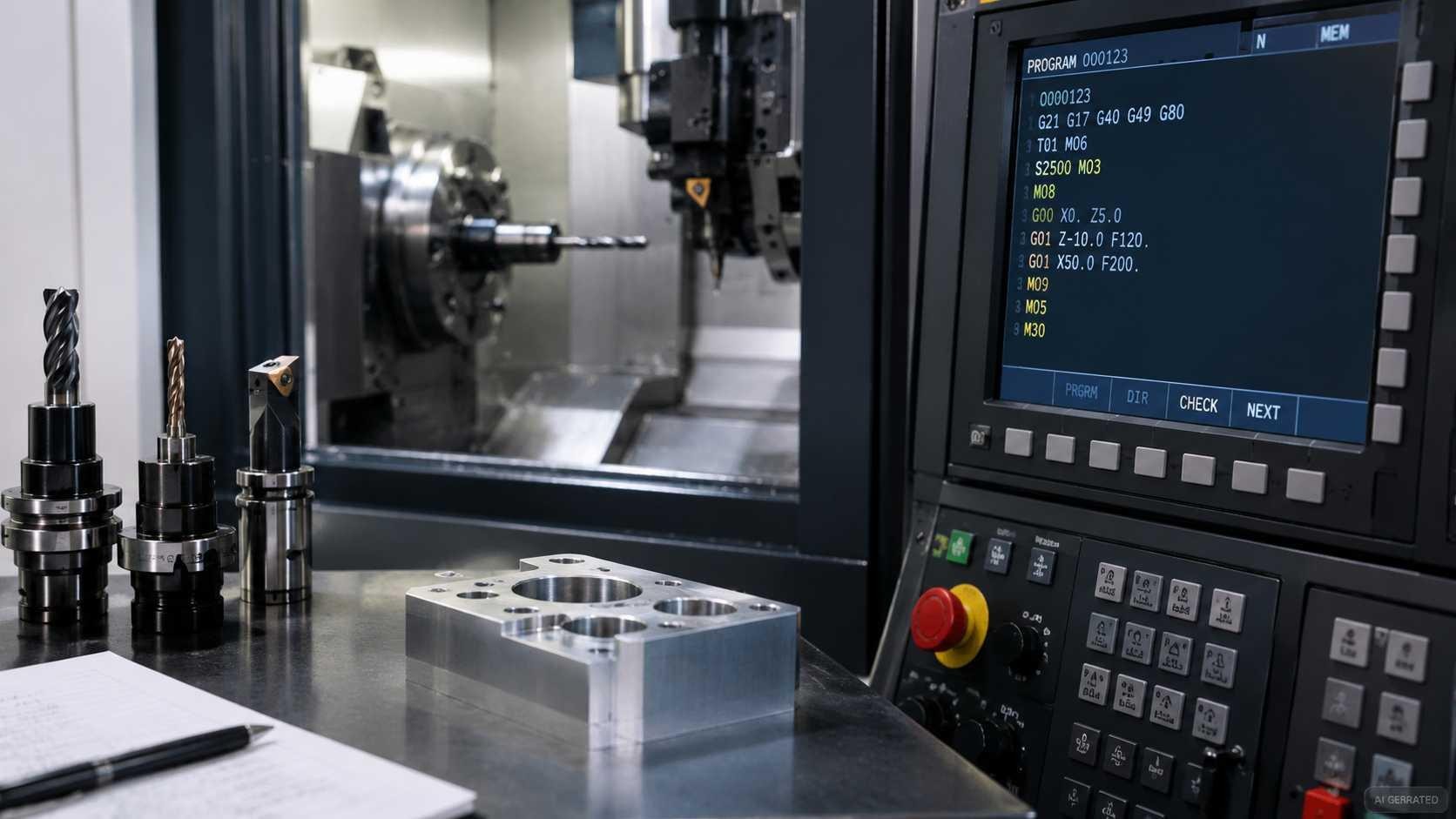
CNC machine and control panel displaying M codes
How Do M Codes Differ Between CNC Milling and Turning?
Many commonly used M codes serve the same basic purpose on milling and turning machines. For example, M03/M04/M05 are commonly used for spindle control, while M08/M09 control coolant on supported machines. Exact implementation still depends on the control and machine builder.
The differences are specific to one machine type. Turning centers may include chuck, tailstock, bar-feeder, and subspindle functions. The available M codes depend on the machine's equipment and control configuration.
Chuck and tailstock commands are machine-specific. On Haas lathes, M10/M11 clamp and unclamp the chuck, while M21/M22 advance and retract the tailstock. Do not infer these functions from the code number alone when working with another machine. On a turning center with a subspindle for second-operation machining, M codes control which spindle is active, whether parts transfer between spindles, and how the subspindle synchronizes with the main spindle during part handoff.
Live-tool turning centers use separate commands for the main spindle and the live-tool spindle. On Haas lathes, M133 starts the live tool forward, M134 runs it in reverse, and M135 stops the live tool. M12/M13 control the optional auto jet air blast, while M14/M15 control the main-spindle brake on supported C-axis configurations. Other machine builders may assign different codes, so verify which spindle each command controls in the machine manual.
Pallet-change commands depend on the control and automation package. Haas mills use M50 for the pallet-change sequence. LinuxCNC documents M60 as a pallet-change pause. Whether an actual pallet exchange occurs depends on the configured hardware, external logic, and machine implementation. The two commands are not interchangeable. Follow the sequence specified for the target machine.
Treat common spindle and coolant M codes as a starting reference, not proof of full program compatibility. Before running a program on a specific machine, verify any M code that controls auxiliary hardware and confirm its execution sequence against the machine builder's documentation.
Example of M Codes in a CNC Program
The following simplified CNC milling program illustrates common M-code sequencing on a Fanuc-style vertical machining center with an automatic tool changer and flood coolant. It assumes that tool T02 has a matching H02 tool-length offset and that G54 Z0 is set at the top of the workpiece. The programmed Z50.0 position must provide adequate clearance for the actual setup. M-code behavior and tool-change sequences vary by machine, so verify the program against the target machine's programming manual before use.
O2001                        ; Program number
N010 G21 G17 G40 G49 G80 G94 ; Set metric units, XY plane, and feed per minute; cancel cutter comp, tool length comp, and canned cycles
N020 G28 G91 Z0              ; Return Z to machine reference using incremental mode
N030 G90 G54                 ; Absolute mode and work coordinate system
N040 T02 M06                 ; Load tool 2 (12 mm end mill; confirm H02 matches its measured length)
N050 S3500 M03               ; Set spindle speed and start spindle clockwise
N060 G00 X0 Y0               ; Rapid to XY start position; confirm Z clearance is safe
N070 G43 H02 Z50.0           ; Apply tool length offset H02 and move to safe Z
N080 M08                     ; Flood coolant on
N090 G00 Z5.0                ; Rapid to 5 mm above the workpiece
N100 G01 Z-10.0 F150         ; Feed to cutting depth at 150 mm/min
N110 X80.0 F400              ; Linear cut at 400 mm/min
N120 Y50.0                   ; Continue cutting in Y
N130 X0                      ; Return in X
N140 Y0                      ; Return in Y
N150 G00 Z50.0               ; Retract to safe height
N160 M09                     ; Coolant off
N170 M05                     ; Spindle stop
N180 G49                     ; Cancel tool length compensation
N190 G28 G91 Z0              ; Return Z to machine reference
N200 M30                     ; End program and rewind/reset as supported
Note
The cutting moves and S/F values are illustrative only. Select the entry strategy and cutting parameters for the actual material, tool, stock, and setup.
M-code sequencing affects how the machine executes the program. In this example, coolant starts before the first cutting move and turns off after the tool retracts. The spindle starts before cutting begins and stops after machining is complete. In a multi-tool program, check whether the machine stops the spindle automatically during M06; if not, program M05 before the tool change as required by the machine builder.
For an inspection pause, insert M00 at the intended stop point rather than replacing M30. M00 pauses program execution, while spindle and coolant behavior depends on the machine. After inspection, follow the controller's restart procedure before continuing.
How to Verify M Code Compatibility Before Running a CNC Program
Running a CNC program with unverified M codes is a direct path to unexpected machine behavior. The verification process has four components.
-
Check the machine builder's programming manual
This is the authoritative source for M code definitions on a specific machine. The manual lists every M code the machine implements, what it does, any prerequisites (machine must be at home, spindle must be stopped), and whether the code has options or parameters. Documentation from major machine builders such as Haas, Mazak, DMG MORI, and Okuma is often available online; older machines may require a physical manual.
-
Check the CNC controller documentation
The controller and the machine builder are sometimes different entities. A machine built by one manufacturer running a Fanuc 31i controller will have both machine-builder-specific M codes and Fanuc-standard M codes. Both documentation sources are needed to understand the full M code behavior on that specific machine.
-
Verify the CAM post-processor configuration
CAM software outputs M codes based on the post-processor selected for the target machine. A generic post-processor produces generic M codes that may not match the specific machine. The post-processor should be configured for the exact machine and controller combination, including correct M code numbers for tool change, coolant, and any machine-specific functions used. A post-processor configured for a different machine can output M codes that do not match the target machine. Here's a guide to CNC post-processors explaining how CAM output is converted into code for a specific machine and controller.
-
Simulate and prove out the program before cutting
CNC simulation can check tool motion and the M-code behavior supported by its machine model. It may not reproduce every machine-specific auxiliary function, particularly when the control or post-processor has not been configured to represent that hardware. Before the first production run on a new program or machine, follow the machine builder's prove-out procedure. Where appropriate, use graphics mode or a controlled dry run with rapid override reduced and the tool clear of the workpiece. Confirm that the spindle and coolant respond as programmed, and verify the actual tool-change sequence before machining material. Investigate any unexpected behavior before the cutting run.

Precision CNC Machining Service
Upload your CAD file to get a fast quote starting from $1, with lead times as short as 3 days.
FAQs About CNC M Codes
What Is the Difference Between M00 and M01?
M00 always stops the program until the operator restarts it. M01 stops the program only when Optional Stop is enabled.
What Is the Difference Between M02 and M30?
Both end a CNC program. M02 ends the program, while M30 usually ends it and resets the program to the start. Exact behavior depends on the controller.
What Do M03 and M04 Do?
M03 starts the spindle clockwise, while M04 starts it counterclockwise. M05 stops the spindle. The S code sets the spindle speed.
Are M Codes the Same on All CNC Machines?
No. Common M codes are similar across many machines, but codes for functions like pallet changes and through-spindle coolant can vary. Check the machine's programming manual.
What Do M08 and M09 Do?
M08 typically turns on flood coolant, while M09 turns off the applicable coolant functions. M07 may control mist coolant or shower coolant, depending on the control and machine.
Can More Than One M Code Appear in the Same Program Block?
Some controllers allow multiple M codes in one block, but their execution order can vary. Using separate blocks helps ensure machine functions run in the correct sequence.
Popular Articles
• What is G Code and M Code: Differences, Uses & Examples
• Are There Any Design Limitations or Restrictions for CNC Machining
• From CAD to CNC The Importance of Accurate 3D Modeling in Manufacturing
• Understanding CNC Machine Tolerances and Their Impact on Part Accuracy
• How to Learn CNC Programming: A Step-by-Step Guide for Beginners
Keep Learning
What is G Code and M Code: Differences, Uses & Examples
Key Takeaways G codes define tool motion and machining modes, while M codes control auxiliary functions such as spindle operation, coolant, and program stops. G codes are mostly modal (they stay active until changed), whereas M codes are a mix of modal and non-modal commands. The exact meaning of a code varies by controller and machine type, so you must verify against the machine's programming manual. Most production programs are generated by CAM software and then verified against the specific machine......
CNC M Code List: Functions and Common Uses
Key Takeaways G codes define motion and machining modes, while M codes trigger auxiliary machine functions. Common M codes include M00/M01 for program stops, M03/M04/M05 for spindle control, and M08/M09 for coolant control. M-code assignments for functions such as chuck control, pallet changes, and live tooling vary by machine builder and model. Always verify machine-specific M codes against the target machine's programming manual before running a CNC program. An M code (miscellaneous code) is a CNC p......
Are There Any Design Limitations or Restrictions for CNC Machining
Quick Answer: CNC design is limited mainly by tool access, cutter radius, part rigidity, workholding, machine travel, material behavior, and tolerance requirements. Review those constraints before finalizing CAD, especially for deep pockets, thin walls, internal corners, undercuts, small threads, and critical fits. A design that looks completely reasonable in CAD can turn out to be genuinely difficult — or impossible — to machine as drawn. Not because the geometry is wrong in any absolute sense, but b......
GD&T in CNC Machining: Everything You Need to Know.
Why Does GD&T Matter in CNC Manufacturing? (autodesk) What is GD and T? Ask five machinists to interpret a drawing without it and you might end up with five completely different parts. That's because traditional linear dimensions and notes can only go so far, leaving plenty of room for misinterpretation. This is where GD&T (Geometric Dimensioning and Tolerancing), the universal language of engineers, is used to define how a part should truly function and fit. At its core, GD&T is a symbolic system tha......
What Is CNC Programming? A Complete Guide
What Is CNC Programming? A Complete Guide A finished CAD model doesn't cut anything by itself. Between a 3D design sitting on a screen and an actual part coming off a machine, there's a translation step that turns geometry into motion — where the tool goes, how fast it moves, when it changes, when coolant kicks on. That translation is CNC programming, and it's easy to take for granted until something in it goes wrong: a program that runs a toolpath through a clamp, a feed rate that's fine on paper but......
From CAD to CNC The Importance of Accurate 3D Modeling in Manufacturing
In modern manufacturing, the process from CAD design to CNC machining is an indispensable part of producing high-quality parts and products, and 3D modelling, as a core part of this process, has a direct impact on the accuracy, functionality and appearance of the final product. In this article, we will discuss the CAD to CNC process, analyse the importance of accurate 3D modelling, and share how to optimise the modelling process to improve manufacturing efficiency and product quality. I. CAD design: l......